Ever looked at your timesheet on Friday and had no idea where Tuesday went? Or billed a client for a lunch break because the timer kept running?
Every freelancer and team knows the problem. You forget to start the timer, you forget to stop it, or you leave for lunch and come back to a timesheet that says you worked for three hours straight. The hours you bill or report end up as a guess.
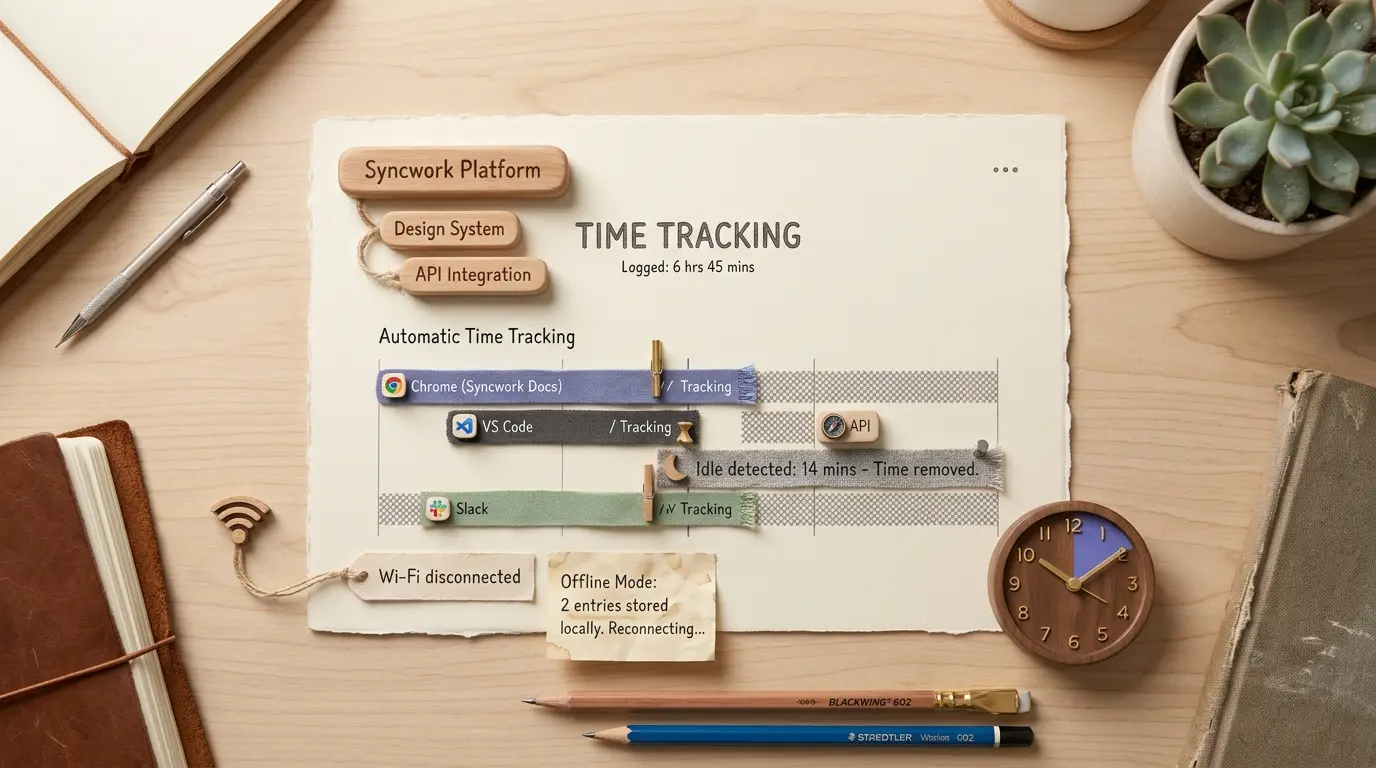
The new Syncwork desktop app fixes this with three features: activity tracking, idle detection and offline mode. Together they make your timesheet match what you actually did.
Download the desktop app or see everything it does.
Activity tracking: see what you're working on
Most timers only record that time passed. They can't tell you what that time was spent on.
The Syncwork desktop app tracks which app you're working in, so at the end of the day you can see where your hours really went. Maybe you planned a morning of design work but spent half of it in your browser and email. Now you can see it instead of guessing.
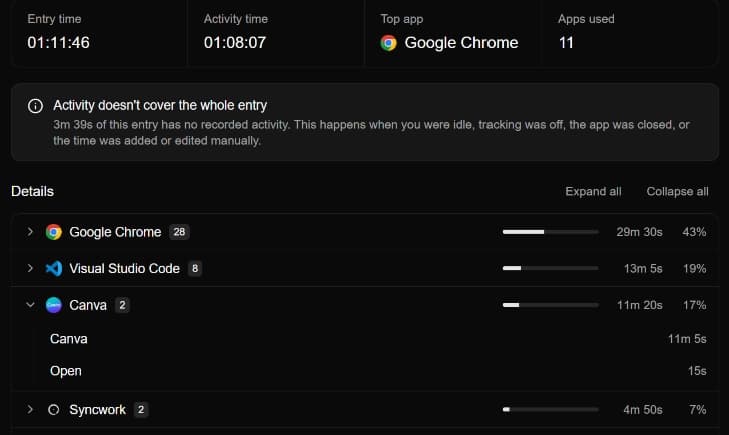
This helps in a few practical ways:
- Fill in your timesheet faster. Use your activity to remember what each block of time was for, instead of rebuilding your day from memory on Friday.
- Back up your invoices. When a client asks what the hours covered, you have a clear record.
- Spot time sinks. If one app takes more of your day than you expected, you'll notice.
Idle detection: stop billing for time you weren't working
Everyone steps away. A phone call, a coffee, a meeting that ran long. If the timer keeps running, those minutes land on your timesheet and, if you invoice by the hour, on your client's bill.
Idle detection notices when you've stopped working, so the timer doesn't quietly keep counting. You decide what happens to that time when you're back, instead of finding the mistake at the end of the week.
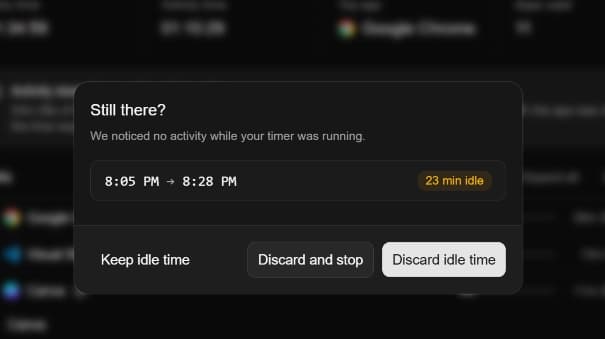
The result is timesheets you can trust. That matters whether you bill clients by the hour or just want honest numbers about your own work.
Offline mode: keep tracking without internet
Internet drops. You might be on a train, in a cafe with weak wifi, or dealing with a power cut at home. Tracking shouldn't stop when your connection does.
With offline mode, the Syncwork desktop app keeps tracking when you have no connection. Your time is saved on your computer and synced once you're back online, so nothing is lost and you don't need to enter it by hand later.
If you work while travelling or live somewhere with an unreliable connection, this one alone can save you hours of re-entering time each month.
Offline mode is one of several desktop-only features. See the full list.
Stop guessing your hours
Download Syncwork for desktop, sign in, and start tracking. The free plan has no time limit, so you can try it on real work.
Want the full tour first? Explore the desktop features. Missing something, or something not working the way you expect? Tell us.