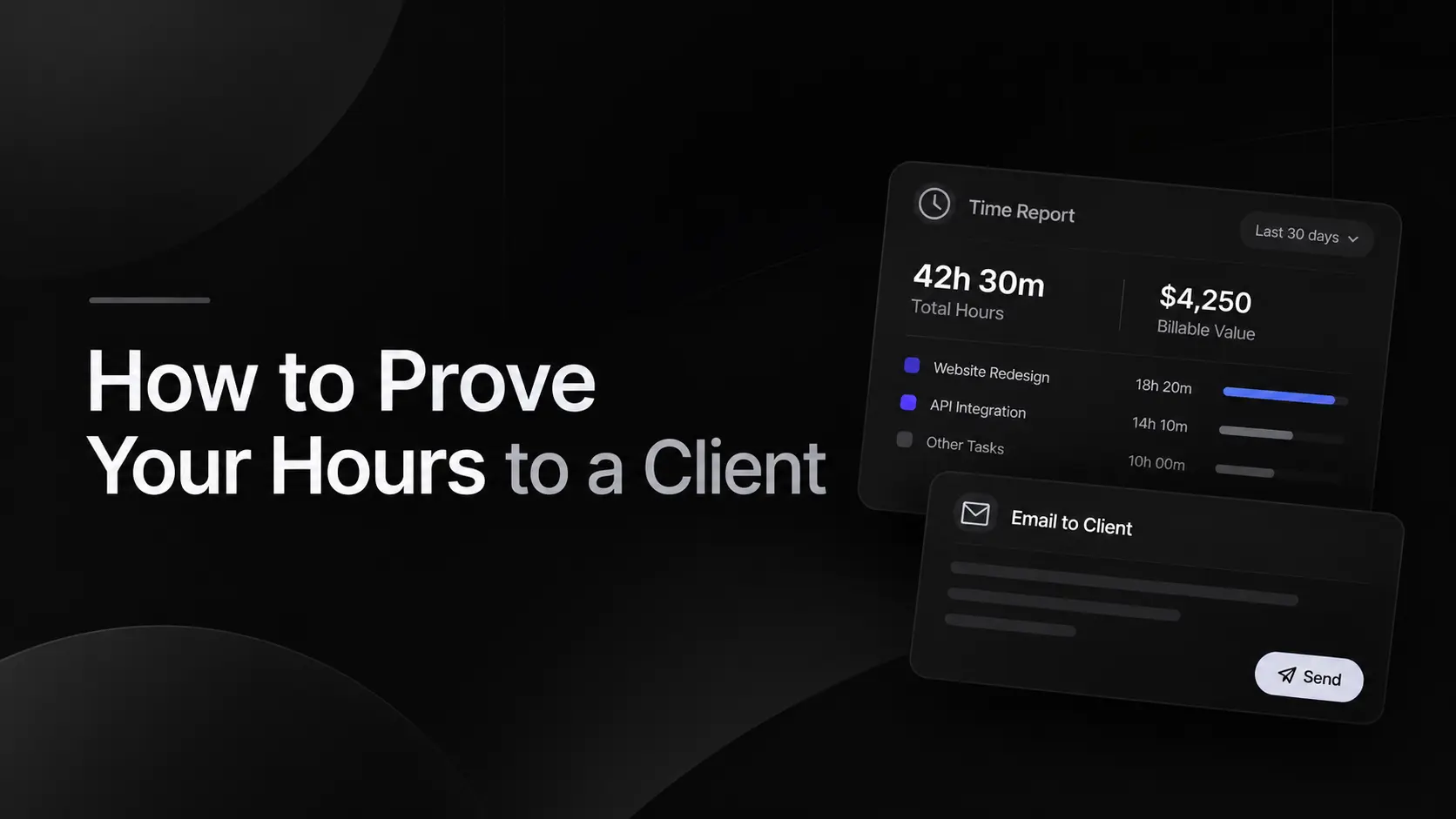
Your client opens your invoice and asks, "Where did these 12 hours go?" If you can answer in two minutes, with dates, tasks and a report they can read, the question usually ends there. If you can't, it can turn into a long email thread, a discount you didn't want to give, or a late payment.
This guide shows what counts as proof of hours, how to write entries a client will accept, how to share a report, and the exact emails to send. You can copy the templates as they are. For a quick timesheet to attach to an invoice, try the free Syncwork timesheet generator. No account needed.
And if you'd rather have your hours recorded and ready to share, you can start your free 14-day Syncwork trial.
The short answer: what counts as proof
Proof of hours isn't one document. It's three things working together:
- Dated entries, logged as you work. Not rebuilt from memory on Friday.
- A short description on each entry that says what you did.
- A report your client can open and check. Send it with your invoice, not only after they ask.
Add one more habit on top: get the client's okay in writing before you go past an estimate or take on extra work. That is what stops most arguments.
Screenshots and activity logs are optional. They can help on some platforms, but they are not what most clients want to read.
Why clients question hours
In freelancer communities, the same few situations come up again and again. Clients rarely think you are lying. They just can't connect the hours on the invoice to work they can see.
- Vague entries. "Strategy, 3 hours" or "Design, 8 hours" gives the client nothing to check. When the same time is described as a specific piece of work, the question often disappears.
- Hours above the estimate. If you quoted 10 hours and bill 18 without a warning, the client sees a surprise, not a fair charge. Many clients treat an estimate as a limit unless told otherwise.
- Late or forgotten tracking. A big invoice built from memory months later looks guessed, even when it's honest.
- Extra work nobody agreed to. Small changes add up. If the client didn't know they would cost time, they will question the bill.
Each of these is easier to prevent than to argue about afterwards.
What a client-ready report shows
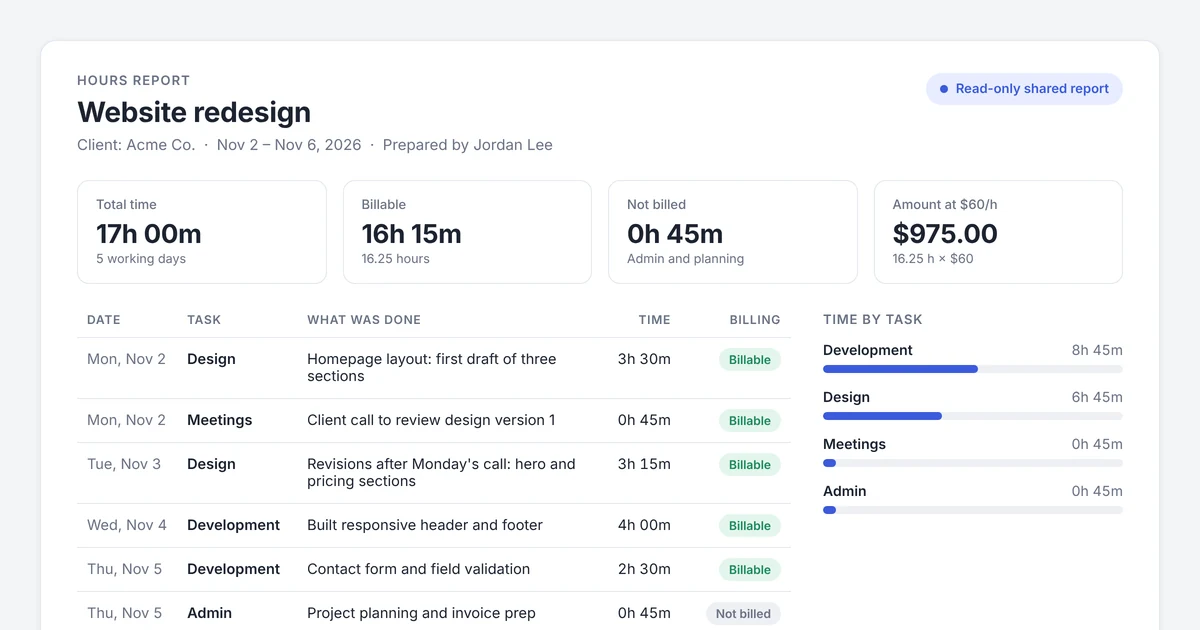
A report a client can trust is simple. For each entry, it shows:
| Field | What to include | Why it helps |
|---|---|---|
| Date | The day the work happened | Shows you tracked as you went |
| Project or task | The project, and the task if you use them | Lets the client match it to their own list |
| Description | One short line on what you did | Turns "3 hours" into something checkable |
| Duration | Time in hours and minutes, or decimals | Easy to add up |
| Billable or not | Mark non-billable time clearly | Avoids arguments about what is charged |
| Rate and total | Rate, hours and amount, for hourly work | Matches the invoice line for line |
Add totals by project or task at the bottom so the client can see the big picture first and the detail second.
Weak entries vs strong entries
The description is where most of the proof lives. These are examples. Use your own wording:
| Weak entry | Stronger entry |
|---|---|
| Design, 8 hrs | Homepage layout: first draft of three sections (5 hrs). Revisions after Tuesday's call (3 hrs) |
| Strategy work | Reviewed five competitor sites and wrote a one-page summary |
| Work on project | Fixed the login timeout bug and tested it on staging |
| Meetings | Client call to review version 2 of the designs (45 min) |
A good entry mentions something the client knows about: a call, a file, a feedback round or a deliverable. It takes five seconds to write while the work is fresh, and it is hard to reconstruct a week later.
Which kinds of proof work best
Not every kind of proof suits every client. Here is how the common ones compare:
| Proof | Works well for | Watch out for |
|---|---|---|
| Dated entries with short descriptions | Nearly every freelancer | Vague text like "work" or "admin" |
| A report sent with each invoice | Hourly work and retainers | Sending it only after a dispute starts |
| A live report link | Clients who like to check for themselves | Agree up front what they will see, and turn the link off or let it expire when the project ends |
| Written approval for estimates and scope changes | Projects that grow | It has to come before the extra work, not after |
| Work output: files, drafts, commits, calendar events | Backing up one entry when asked | It shows what you made, not how long it took |
| Screenshots or detailed activity logs | Some platforms and security-focused clients | Can feel like surveillance. Ask what the client wants first |
On marketplaces such as Upwork, payment protection often depends on using the platform's own tracker and following its rules. Check the rules of any platform you work on before you rely on outside records.
How to share your hours in Syncwork
Here is a simple routine that uses what Syncwork already does:
- Track your time. Start a timer in one click, add time on the calendar, or fill in a weekly sheet. Calendar events can become tracked time automatically.
- Add a short description to each entry while you remember the work.
- Open Reports and filter by client, project or date range.
- Share a live report link with your client, or download the report as a PDF or Excel file to attach to your invoice. The link is read-only, so your client can look around the report but can't change anything. It has an expiry date, and you can turn it off at any time.
- Turn the same hours into an invoice with Syncwork invoicing, so the report and the invoice always match.
If you use the desktop app, Syncwork also keeps a private activity record on your own device. It shows which apps and files you worked in and never leaves your computer. It is there to jog your own memory if a client asks about one entry. You decide what, if anything, to share.
Email template 1: send your hours with an invoice
Replace the parts in brackets with your details.
Subject: Invoice [number] and hours report for [project], [date range]

Hi [Client name],

Attached is invoice [number] for [project]. It covers [total hours] hours
between [start date] and [end date].

You can see the full breakdown here: [report link or attached PDF]. It lists
each entry with its date, task and time.

If anything looks unclear, tell me which entry and I'll explain it.
Payment is due by [due date].

Thanks,
[Your name]
Sending this with every invoice, not only when asked, makes the report part of your normal routine. Clients get used to checking it, and questions come earlier and smaller.
Email template 2: when a client asks "why so many hours?"
Stay calm and don't argue. Answer with a breakdown, point to anything you agreed in writing, and offer a short call. Long defensive emails make things worse.
Subject: Re: Hours on [project / task]

Hi [Client name],

Thanks for asking. I'm happy to go through it.

Here is where the [number] hours on [task] went, from my time records:

- [Date]: [what you did], [duration]
- [Date]: [what you did], [duration]
- [Date]: [what you did], [duration]

[One sentence on why it took this long, for example the two extra rounds
of revisions requested on [date], or the change we agreed by email on [date].]

The full log is here: [report link or attached PDF]. If it would help, I can
walk you through it on a short call this week. [Day] or [day] works for me.

Best,
[Your name]
Don't cut your hours the moment a client pushes back. If the hours are real and you can show them, a calm explanation is enough. If you find a mistake, fix it and say so.
Email template 3: a heads-up before you go over the estimate
This one prevents the dispute in the first place. Send it as soon as you can see the hours will run over.
Subject: Heads-up on hours for [project]

Hi [Client name],

Quick update on [project]. I've used [hours used] of the [estimated hours]
hours we estimated. The remaining work on [task] will likely need about
[extra hours] more because [reason, for example an extra round of revisions].

Would you like me to continue with the extra time, or should we adjust the
scope? I'll hold off on the extra work until I hear from you.

Thanks,
[Your name]
Habits that prevent disputes
- Track as you work. A timer, or a quick note at each switch between tasks, beats rebuilding the week on Friday.
- Write the description straight away. It takes seconds now and is nearly impossible later.
- Warn before you pass an estimate. Use template 3.
- Get scope changes in writing first. A one-line email reply is enough.
- Invoice regularly. Smaller invoices are easier to check than one huge invoice for months of work.
- Agree the rules early. Settle rounding, what is billable (calls? emails?) and what report the client will get before the first invoice.
- Send the report with every invoice.
For more on invoice basics, see what to include on an invoice. For getting the money in, see the best way to get paid as a freelancer.
If you forgot to track time
It happens to everyone. The honest fix is to rebuild the time from things that were recorded at the time:
- Your calendar events and call invites
- Sent emails and chat messages
- Files, drafts and version history
- Commits, tickets or project notes
Mark anything uncertain as an estimate in your own records. Don't make a guess look exact, especially on an hourly invoice. If you can't rebuild part of it, bill the hours you can explain. Next time, a tracker that notices when you are active, or turns calendar events into entries, helps close the gap. Our post on automatic time tracking with idle detection and offline mode explains how that works in Syncwork.
What proof can't do
A good record makes a conversation easier. It doesn't replace a contract.
- The contract decides. In freelance work, what counts as billable, what the client may ask to see and when payment is due are usually set by your agreement.
- Time-recording laws are often written for employees. Rules that tell employers to record working hours usually cover employees, not independent contractors. Don't assume they apply to your client work, or that they don't. Check the rules where you and your client are based.
- Big amounts need real advice. If a large invoice stays unpaid, talk to a lawyer in your country.
When a client keeps questioning hours
If the same client questions every invoice, hourly billing may not suit that project. You can offer a fixed price for the next phase, based on clear deliverables:
Thanks for the feedback. For the next phase, I'd suggest we move to a fixed price based on defined deliverables. That way you know the full cost upfront and we don't need to review hours each month. Can we set up a short call to agree on the scope?
You still need to track your time on fixed-price work. It tells you whether the price was right for the next quote.
Stop rebuilding your hours by hand
With Syncwork you can:
- Track time in one click, add it later on the calendar or a weekly sheet, or turn calendar events into entries.
- Track from the desktop. The Syncwork desktop app works offline, notices when you've gone idle and recovers a timer after a shutdown. Download it here.
- See your hours your way. Reports show time by day, client and project, and you can filter by date, tag or client.
- Share or download a report to send to your client with your invoice.
- Turn tracked hours into an invoice with Syncwork invoicing. It fills in your business details and logo and exports a PDF.
The Free plan covers solo freelancers with 1 seat and 1 workspace. Invoicing is part of the Premium plan, which starts at $4.79 per seat per month on annual billing, and there's a 14-day trial with no card required. See the pricing page for details.
Free tools to try right now
- Free hourly rate calculator: work out the minimum rate to charge from your income goal, expenses, tax and billable hours.
- Free timesheet generator: log your hours, get your totals and download a PDF. No account needed.
- Free invoice generator: turn those hours into an invoice in minutes.
- Free overtime calculator: enter your week's hours, rate and multiplier to see regular, overtime and total pay.
FAQ
Ready to prove your hours with less effort?
Start your free Syncwork trial, or make a timesheet now with the free generator. Questions before you switch? Talk to us, or browse the blog for more guides.